Lesson plans built with Bobbin, perfected by you

Build and edit curriculum-aligned lesson plans using level, subject and exam board specifications in moments.

Book a demo

A closer look

Course plans

Create curriculum-aligned course plans

Browse courses based on exam-board specifications, subject and level, and create multi-lesson plans that are tailored to your students.

  • Filter by country, subject, level, and exam board
  • Totally editable outline to be tailored by tutors
  • Regenerate the outline as the student’s goals change
Create curriculum-aligned course plans

Lesson plans

A lesson-by-lesson plan in moments

Generate editable lesson plans with ease. Create and track changes until the plans reflect your teaching style and goals.

  • Prompt mode: describe changes and accept or reject
  • Use text mode for direct edits
  • Keep track with version history and download the PDF
A lesson-by-lesson plan in moments

Objectives

Keep track of every lesson with objectives

Tutors can set the lesson objectives for courses and lessons. Bobbin then matches what was covered in the lesson to the objectives, tracking progress and keeping you up to date.

  • Up next objectives suggested from the course plan
  • Coverage confirmed from the lesson transcript
  • Monitor student progress with ease
Keep track of every lesson with objectives

From planning a course to delivering great lessons

  1. 1

    Set up the course plan

    Choose a curriculum plan, describe the student and the goal before editing your course until it’s right for your student.

  2. 2

    Draft the lesson

    Schedule a lesson, pick its objectives, and prepare your lesson plan in moments.

  3. 3

    Refine and teach

    Make any changes you need before setting the plan, with PDF download available.

A tutor planning a lesson
5-10 minAverage time saved per lesson
“Our tutors love the ease of lesson planning and delivery, our clients appreciate the in-depth reports, and immediate attendance tracking supports our delivery of high-quality alternative provision.”
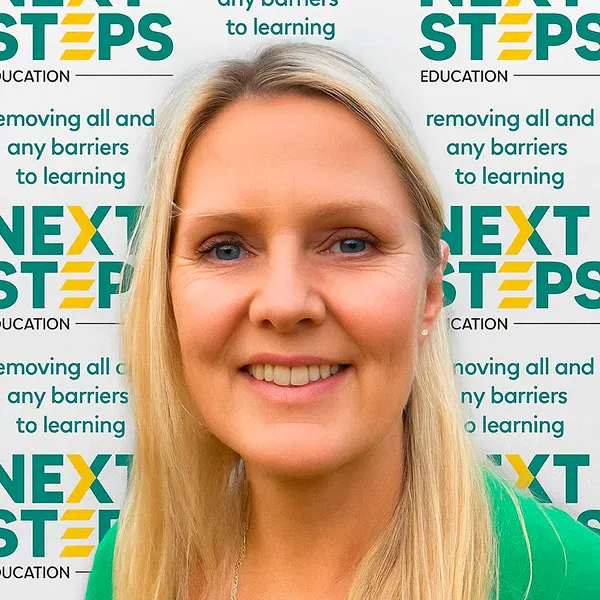
Sarah LoganSarah LoganDirector, Next Steps Education

FAQs about lesson plans

How does the AI work in Bobbin’s lesson plans?

Bobbin drafts each plan using what it already knows about your student: the subject and curriculum, the course objectives you’re working toward, and the next steps from their last progress report. You get learning objectives, a timed structure and understanding checks, so every lesson builds on the last.

Can I edit the lesson plans?

Yes. You can change any part of the plan yourself or ask the AI to refine one section. Course outlines can be edited too, so you can create plans that work for you.

What if I don’t stick to the plan?

That’s fine. The plan is a guide, not a script. Bobbin’s lesson insights come from what actually happened in the session, and those insights feed into the student’s next plan.

Can I turn the lesson plan off?

Yes, lesson plans are optional. A lesson only gets a plan when you choose to create one, if you don't need one, that's ok.

Which subjects, levels and exam boards are covered?

Course plans can follow curricula from the UK, the US (including ACT and SAT), Ireland and Australia, filtered by subject, level and exam board. If your course isn’t covered, get in touch, our team can build it into the system.

Always part of the thread

Each feature picks up where the last one left off.

01Before the lessonPlan without headaches
02During the lessonCapture without confusion
03After the lessonReport without delay

Your lessons, your threads, all in one place

Back to top